Billbee
How to connect ToolMark with Billbee for automated invoicing, shipping and more.
Information we need to get started
Username(the email address you signed up for Billbee with)API PasswordShop ID
Step-by-step
-
Log in to billbee.de, go to Einstellungen > Kanäle and click Shop hinzufügen.
-
Select the shop called Andere - Manueller Shop.
-
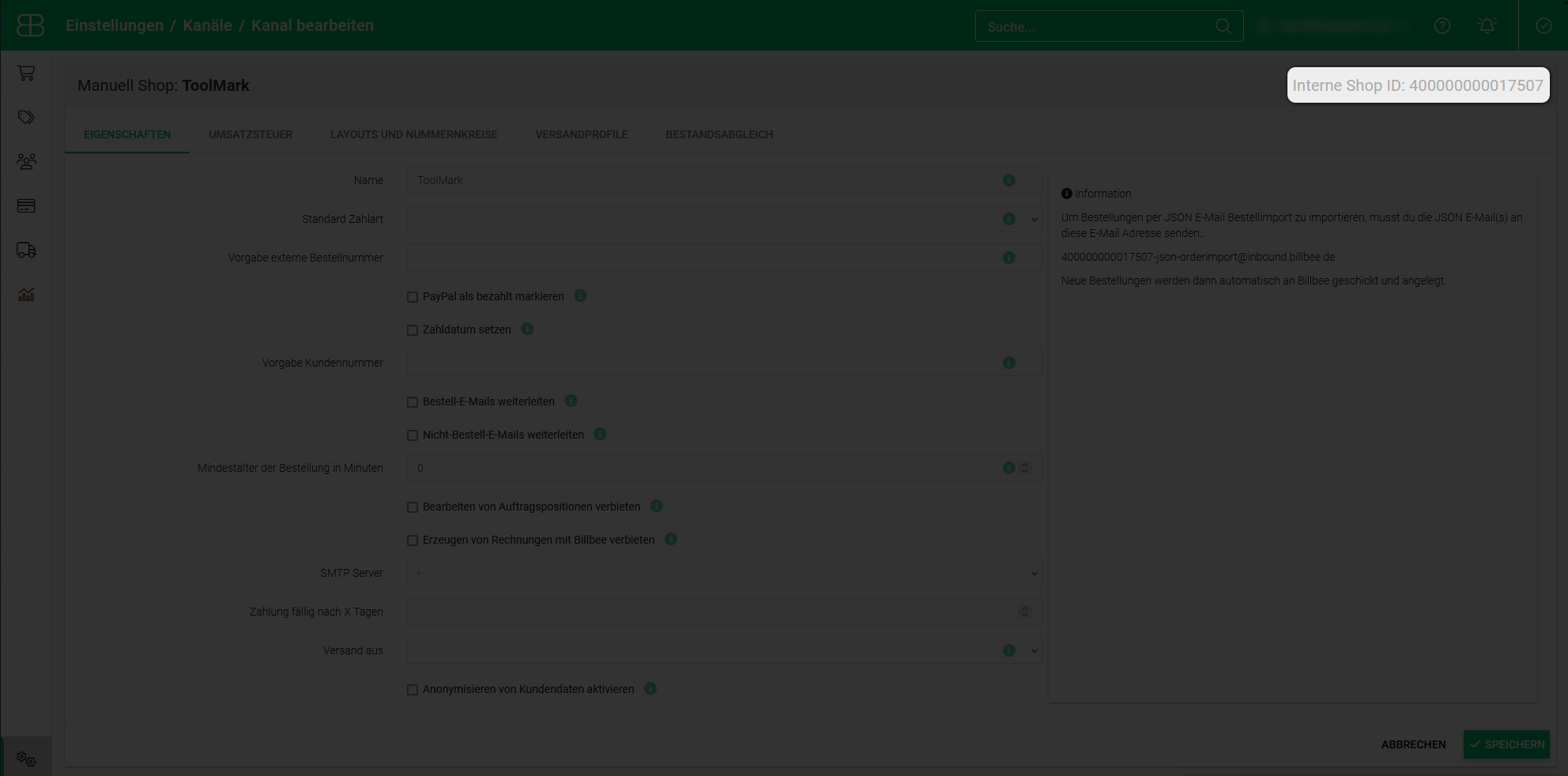
The only relevant field for ToolMark here is the Name. Call it ToolMark. All other settings are up to you.
-
Click Speichern, then open the saved shop again. In the top right corner you'll find the Interne Shop ID - save it for later.
-
Go back to Einstellungen and click Billbee API.
-
Click Aktivieren, enter a strong password (save it for later) and click Speichern.
-
Go back to ToolMark - app.toolmark.io.
-
As the username, enter the email you used to sign up for Billbee.
-
Enter the API password and the Shop ID you created and click Save.
-
Finally, set the TAX option in our dashboard. This is for people who need a specific TAX status for their transactions, as Billbee itself does not set the correct TAX status. Select the option you need and click Save.